LIMS User Guide
Reports
By default, the Reporting Module includes a list of standard, commonly-used reports.
R010 - Reports
This page lists the available system reports.
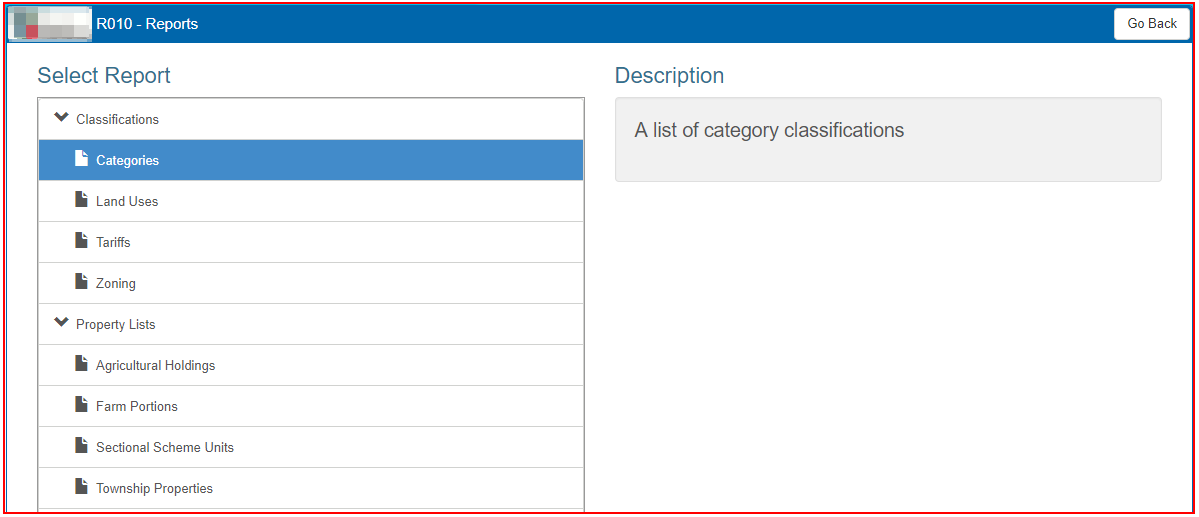
Click next to the name of the report to see a description of the information that will be displayed in the report.
To view a report, right click on the report name, and select 'Open link in New Tab'. The report will open in a separate browser tab.
Save a report to a file
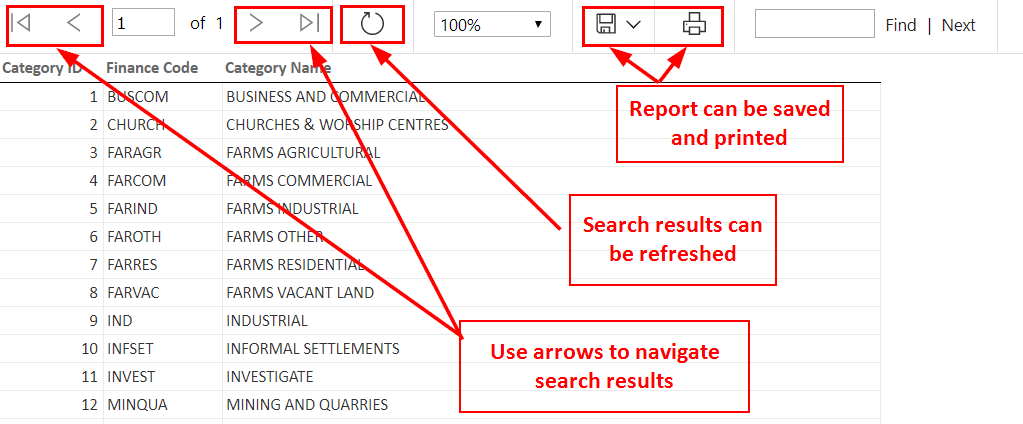
Once the report displays on the screen, it can be saved into a file.
- Use the left or right arrows to navigate the search results.
- Click on the refresh link to display the latest property information.
- Choose the format which the report should be saved to.
- When prompted for a location to save the file, and file name, enter these and click ‘Save’
- The report will be printed as it appears on the print screen.